I've always been a huge tech nerd and a bit of a spendaholic, so I've compiled together a list of all the high quality desk/work from home gear I've used or know of in one place (so you don't have to waste money on things that are not great!) This is the list I wish I had when I started building my setup!
These will skew towards the higher price range in these categories, but I'll try to include any budget options I know that are solid, or I've personally tested. Generally, I'm looking at a balance of quality, aesthetic and price range. I'll call out anything in this list that I haven't personally owned or used.
(VC = Video conferencing = Remote meetings like Zoom, etc.)
Jump to a section:
You probably already have on of these, but in case you are shopping around, here is what I recommend in 2021.
This is a beast of a machine, and the new M1 chip seems to be more or less living up to it's hype. This is a great machine for most things – If you don't need to be running productivity or content creation software (Adobe, video editing, etc) you probably don't need much more than this. Be aware that the SSDs in these machines can't be upgraded, so you will need to buy the size you need up front.
These days, it isn't really worth moving up to a Macbook Pro unless you are doing some heavy creation work. Even design work can be done completely on the above M1 Air due to Figma and other web tools coming on to the scene. If you do need an MBP, don't buy a model made between 2016-2020 (these have the terrible older MBP keyboards.)
If you don't need to be on the go with your machine, and want to combine in a monitor, iMacs are great. I miss mine all the time. I'd maybe recommend waiting though, as I imagine we'll get an iMac refresh pretty soon.
These move so fast it is hard to keep up with. If you are looking to buy a laptop, I recommend Dave2D's channel. He covers most notable ones in a straightforward and unbiased way. Otherwise, when in doubt, usually the XPS 13 is a good bet.
Generally your best bet will be to put together a machine yourself, but in 2021 this is a bit of a tall ask due to shortages being everywhere. I picked up one of these recently for our living room – it's an awesome little powerhouse (that makes a lot of noise.) The main thing to remember with PCs: smaller = more money, faster = more money, high end = mostly for bragging rights. Use a tool like logical increments to find the right price/performance ratio for you.
Other desktop resources: PC Part Picker | SFF Subreddit
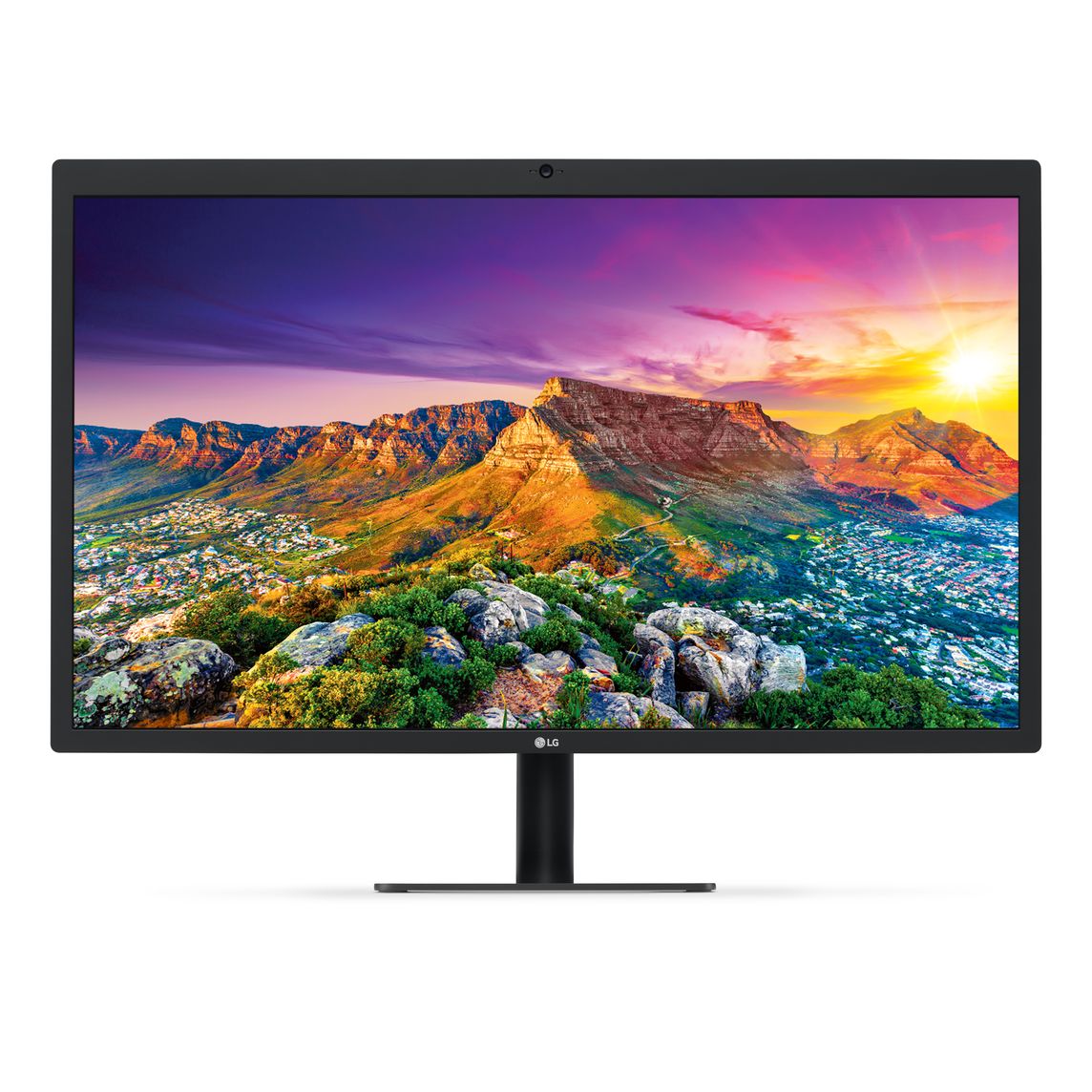
LG UltraFine 5K – LG
~850-1,299 (Price varies by sales + New vs Refurbished) – Price History
Not sure what the poor reviews are about here – I bought mine out of pocket (refurbished), I've been driving this monitor for 3 years now and it's been solid. If you are using a Mac, use your laptop open with a monitor, and on-screen color matters then this is the best option.
Options open up a bit more if you are willing to have non-OSX native color (this isn't overly noticeable as long as you don't use your laptop open, or are using a desktop like a Mac Mini.)
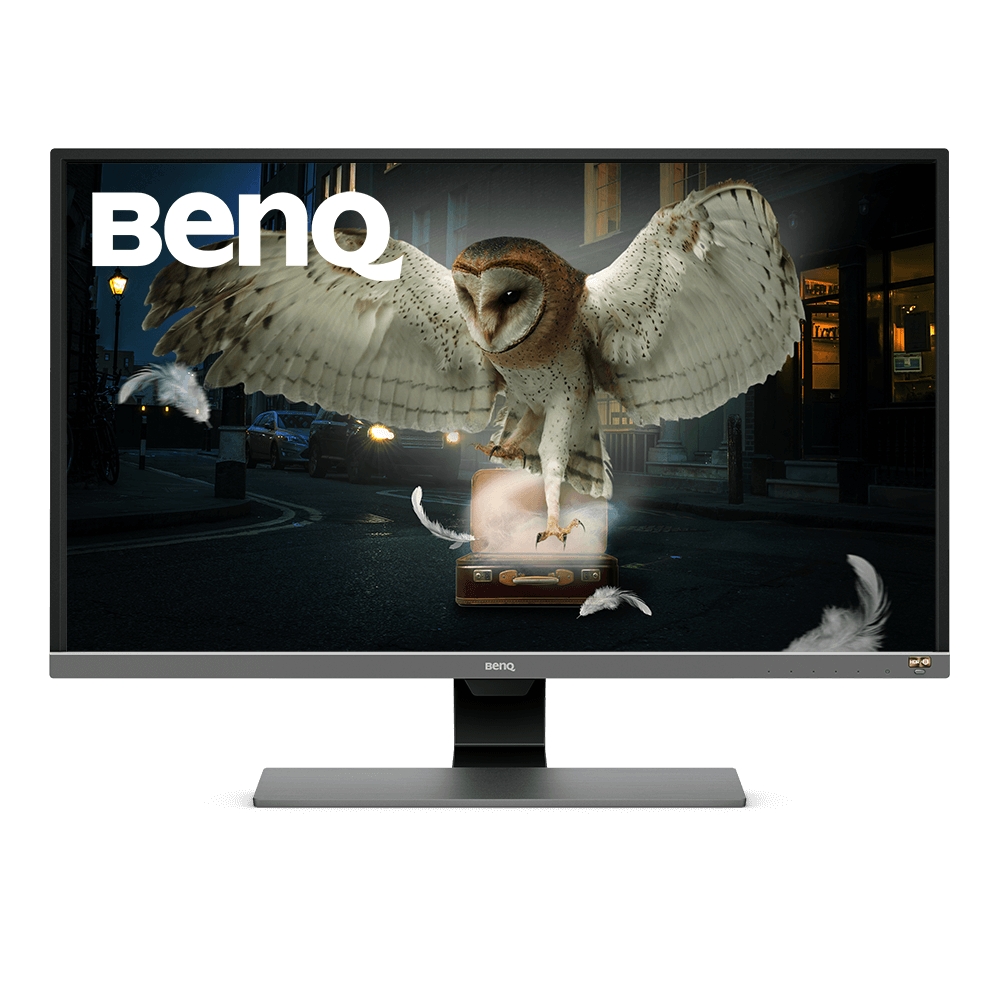
BenQ EW3270U (32", 4K) – BenQ
Matte display, super large, not for games. I've daily drove these for a few years now, and own two of them. IMO two of these are too big for a desk. If you want something pretty solid and are ok with slightly muted colors these are a pretty good place to start. You probably want to arm mount these. (Make sure you are ok with how big they are.)
Smaller monitor for VC
I don't have a specific recommendation here, as most of these are from generic brands, but having a small (13~15") portable monitor for second screen things like music, as well as a dedicate VC is pretty handy. Ideally one with VESA compatible mounting holes is ideal (like this one) so you can put it on a monitor arm or VESA stand. Your webcam/mic/etc can also sit on top of this to get a better angle.
Something like a Portal can also work here if you want a flexible dedicated calling device. (Downside: Not mountable.)
Airpods/Airpods Pro – Apple
Price: $149/$249
I've tried a ton of headphones, and honestly, for meetings and passive listening, nothing really beats the Airpods. Obviously sound quality isn't the priority here, but the device switching connivence and auto pause when removing a single side is great. I prefer the shape of the regular Airpods over the pros, and actually prefer that they don't noise cancel. If you need noise cancelling to work, go with the Pros.
I think the wireless charging case is a big of a gimmick.
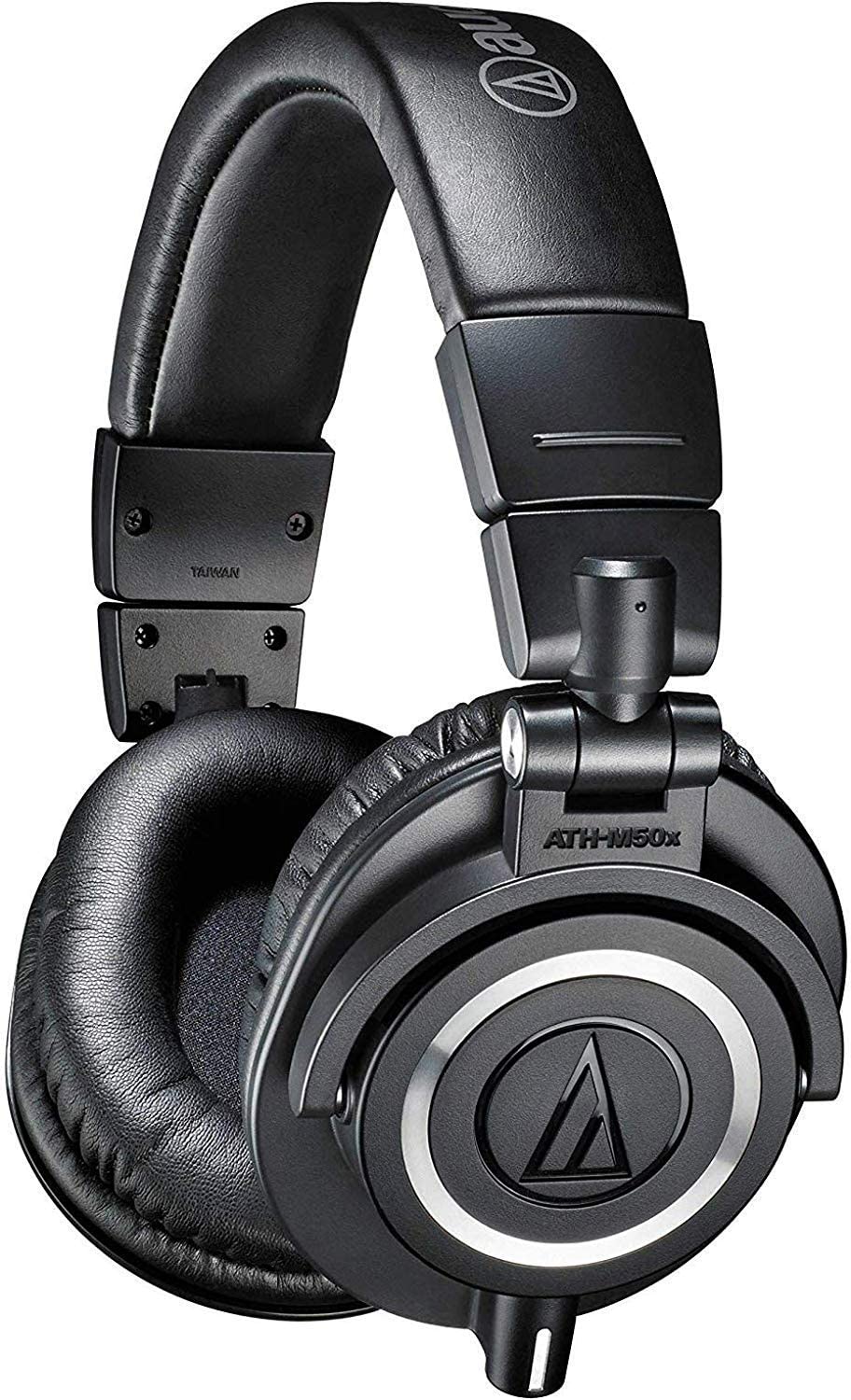
AT ATH-M50X – Audio-Technica
Price: ~$120
The classic. You probably know at least one person with pair of headphones or have seen someone on TV wearing them, and for a good reason. These are great, solid, unoffensive headphones. "Neutral" describes their sound well. If you need something reasonably priced, and high quality, these is a good place to start. There are tons of detailed reviews on the amazon page, so I won't write much more here. (Note: Some people in the reviews recommend trying after-market ear cups on these. I haven't done this on either pair of these that I have, but could be good to look in to.)
There is apparently a bluetooth version of these available now – I can't speak to them but they might be worth trying out.
WH-1000XM3 – Sony
Price: $349
These are the ones I own – I'm not sure why the XM4s are both cheaper (~$250) and have worse reviews, but these are pretty good. (Gross note: These ear cups tend to gather sweat a decent amount when worn for a few hours.)
While I bought these for working at my desk, the real place they shine is on long flights. With the noise cancelling on you basically forget anyone else is on the plane with you. It more or less completely removes cabin noise.
Overall, if you are just using these as desk headphones, I'd go either cheaper and wired, or with the Airpod Pros.
I don't own this one, but this is a pretty unique & beautiful headphone stand with an all aluminum build.
~$100
This is a pretty unoffensive option for a starter webcam. For most cases, this will give you an upgrade to your video and audio quality without breaking the bank.
Also promising:
Software + A Phone
This is becoming a more popular option, and the results are pretty good. You can get high quality video out of your phone that you might already have. It can be a bit of a hassle to set up and take down your phone daily, but it is an option.
Moment has also been kicking off a promising Magsafe line for mounting. This might be helpful with this type of approach.
DSLR/Mirrorless + Capture Card
Price range: ~$300 all the way to $3K+
What most people you see with "amazing" looking video quality/youtube videos are using. There are a few good options here:
This is a pretty cool + hacker friendly option. The lenses it uses are inexpensive CCTV lenses as well. I'm hoping to write up a post on creating a VC setup using the Rasberry Pi at some point, so I'll revisit this then!
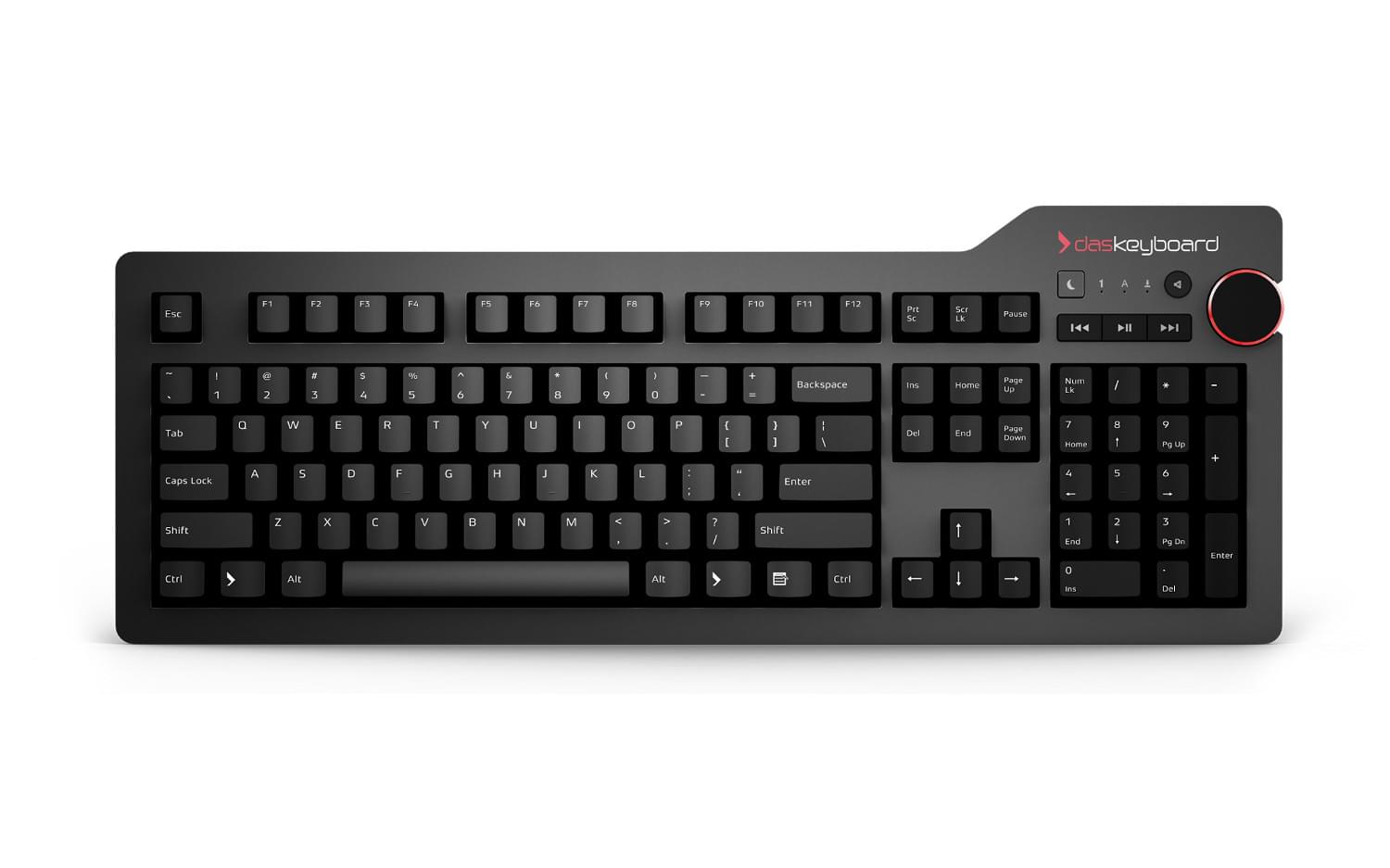
Das Professional 4 Keyboard – daskeyboard
This keyboard checks all the boxes for me – Not visually loud, has quite options for mechanical keys, physical knob for volume, media controls... You get the picture. The one thing that would make this keyboard perfect for me is a mic mute button, but I know that is asking a lot. I use the Cherry MX brown version, but if you want something louder/more clicky you can go with Blues.
This keyboard also has a Windows version, and a blank key version.
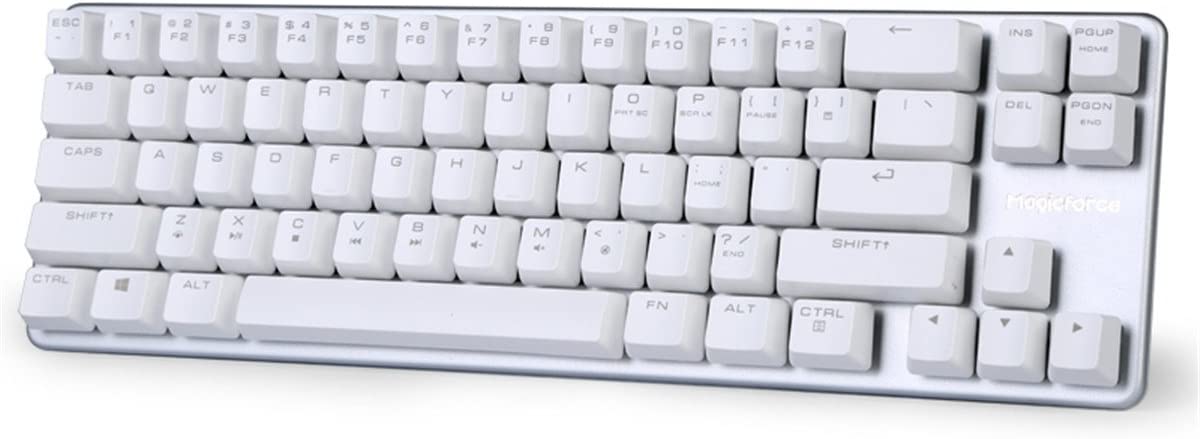
~$30-50
A super budget option – I was pretty impressed with this keyboard, Great form factor. Keys are mushy, so if that bugs you I would avoid this one. I actually like the feel of these keys over many higher-end mechanical keyboards. I'd expect a 1-2 year lifespan out of something like this, and no support if something goes wrong.
Mice are highly debatable, like keyboards, so I'll just share what I have used.

Razer Death Adder – Razer
Price: ~$50-$130 (Depending on features.)
A solid daily driver – Some people rag on Razer but I've been using one model or another of the death adder since 2008 and they have always served me well. I'd expect to replace these every 2-3 years (the build is solid, but they often end up double clicking randomly later in their life, similar to a common issue with Logitech mice.)
SpaceMouse Pro 3D – 3DConnexion
This mouse is for 3D work primarily – if you do a lot of 3D modeling, and can get used to the idea of physically navigating 3D space, this will be a HUGE time saver for you. I never could get into the right mental mode to navigate like this, but I was very impressed with the device itself.
Macro Pads (Example: Razer Tartarus)
There is a huge variety of these, but if your workflow would benefit for a place to map macros, these could be useful. I haven't use this specific one, but in my experience Razer's software for mapping macros is pretty straight forward.
I haven't found my perfect mouse pad yet, but I tend to prefer large, desk cover style ones that the keyboard also sits on. This avoids the awkwardness and physical wear of dragging your arm over the edge of the mouse pad occasionally, and also looks better. I've bought a few of these from Amazon in the past few years, but nothing has really stood out.
I'll probably try one of these next:
Matte Desk Pad – Grovemade
I haven't owned this particular desk pad, but I feel comfortable enough with Grovemade's other products to recommend this one blind. I'd personally avoid the wool ones, I have one of those and I tend to find it a bit scratchy on the skin while mousing around but YMMV.
Orbitkey Desk Mat – Orbitkey
Price: $65
I haven't owned this one either, but it looks pretty solid, and the cable holder is a big plus to me.
I'll bundle these together, but overall Grovemade has excellent desktop accessories, including stands. The desk shelf will comfortably fit 2 large-ish monitors (~27in), and you can slide your keyboard or laptop underneath.
The laptop riser adds quite a bit of height, so you would want this to sit beside a monitor, and a keyboard/mouse–not use it full time.
The quality of Grovemade products overall are top tier, and I know a lot of people that have these. You probably won't regret investing in these.
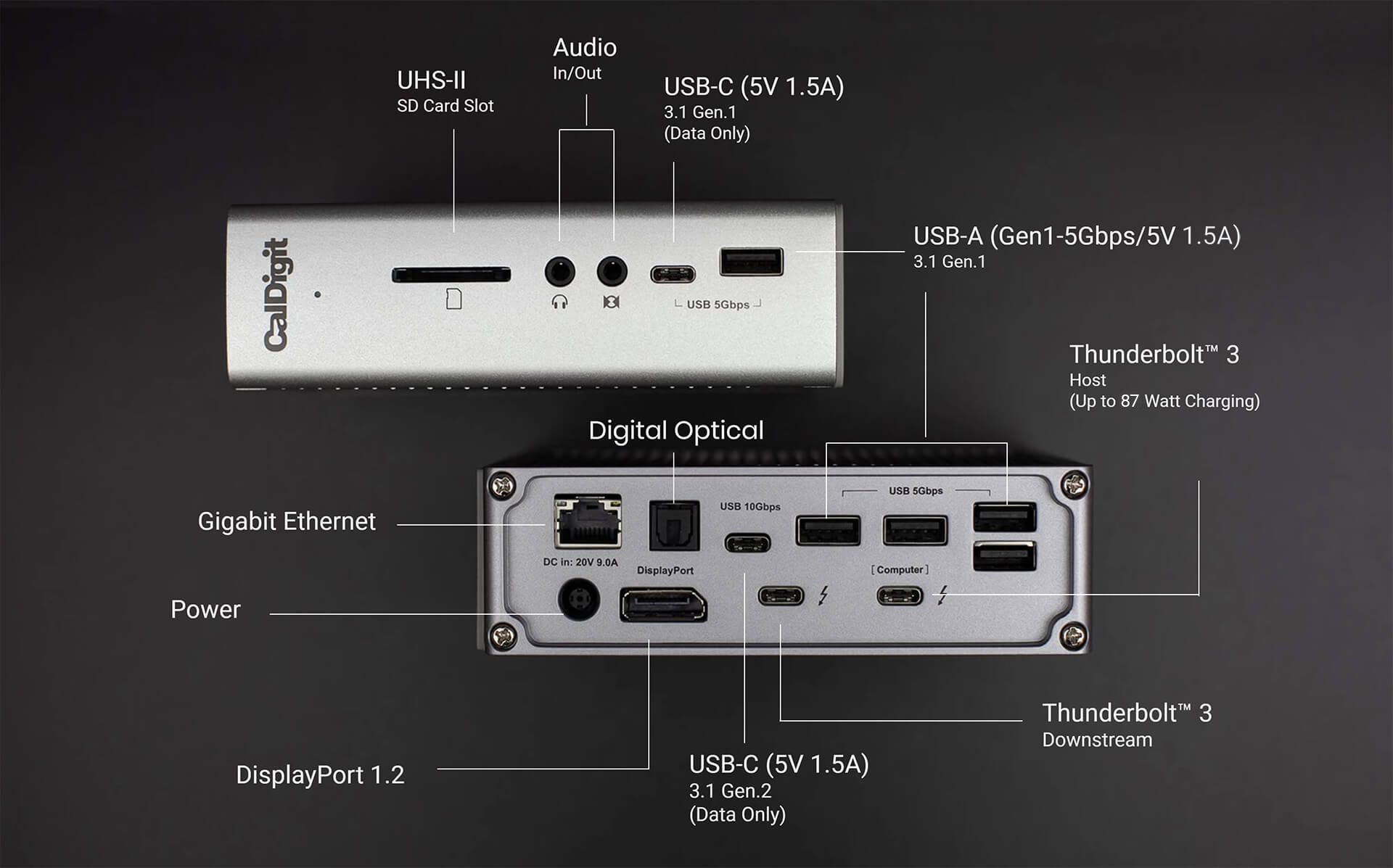
CalDigit TS3 Plus Thunderbolt 3 Dock – CalDigit
(~$230+)
If you buy a single high end accessory for your desk, this is the one I would recommend. Flawless connectivity across multiple monitors, high quality USB, card reader and full power even for 16" 100W Macbook Pros. I've used my for the past 4 years and I've never had a single issue with it, and know at least 15 people who all have had a similar experience. This is the baseline for high quality tech
Caldigit has a few other options these days for docks – you can see if a different one meets your needs better, but I do recommend something with it's own power source, not something that pulls power from the laptop.
Under desk volume knob and macro keyboard.
I haven't had a chance to try this yet, but I've been looking to buy something like this for years. The keys act as a bindable macro keyboard, and the knob works by default for volume and mute/unmute. Looking forward to picking one of these up to see if I can turn it into a VC controller.
This sits on top of your monitor and illuminates the whole desk surface evenly without adding glare to the monitor. I plan on buying this model, so I'll update this once I try it myself.
a
Ethernet
If you don't have a dock with Ethernet, at least some sort of small USB-C to Ethernet dongle is a must have (Example cheap one, I have this one and it works fine.)
I haven't tried any of the below, but I'll here are some of the things I'm interested in checking out next.
Grommet USB Hub – Generic
This is a pretty cool idea – I already use grommet holes to run cables from the top of my desk to the bottom, adding a hub here for things like headphones and quick USB access is pretty handy.
Corsair iCUE LT100 – Corsair
Accent Lighting
Custom Cables
A store like this dfadsa
Audio Input (Microphone)
https://medium.com/macoclock/how-in-the-bleep-do-i-mute-my-mic-anywhere-on-macos-d2fa1185b13
If you have a shopping history with them, buy though Amazon where possible. Their customer support generally will fix problems no questions asked, and often on lower priced items not even have you send them back Always look for the Prime tag, avoid buying from Amazon Marketplace accounts or items tagged "Fulfilled by Amazon."
Expect buying through Amazon you will eventually get a returned item.
This really depends on what you have access to, but a high end credit card like a Sapphire Reserve will not only protect you against fraud, but also protect you against accidental damage. When we bought our LG GX 65 I cracked it when wall mounting it. Chase replaced the TV for us under their accidental damage policy (Caps out at ~10k.) Lower tier cards like Chase Sapphire Preferred can offer up to ~1k in accidental damage as well.
(Aside: Save yourself some pain, never try to wall mount a large OLED yourself – Replacing the display is more expensive than buying a new tv.)
Many of these I've used at home or tried first hand, but here are some other places I found a few things: